TL;DR: US EV charging: 165k+ ports across 62k+ stations. Download PlugShare (reviews), ABRP (trip planning), ChargePoint (Level 2), Electrify America (highway DC fast). Charge to 80% (not 100%) for
speed, keep 10% buffer, budget $15-30/session. 2026 : NACS connector unifies access, Tesla Superchargers open to all. Join multiple networks, combine charging with meals, set idle fee alerts.
Have you ever worried about running out of charge while driving your electric vehicle? You’re not alone. Range anxiety remains one of the top concerns for EV drivers, but here’s the good news: the public EV charging network has exploded in recent years, and finding a charging station is easier than ever before.
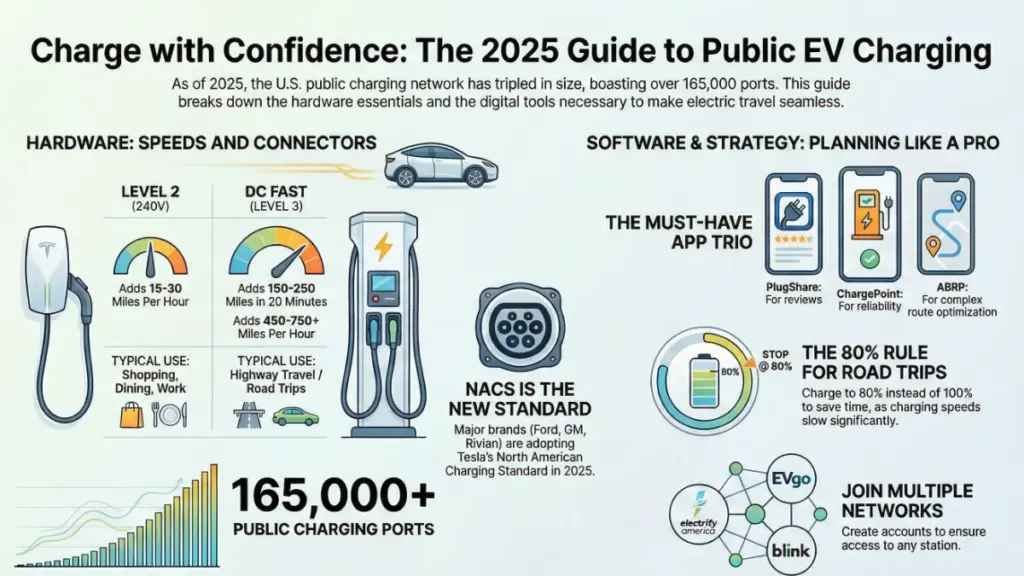
As of early 2026, the United States has over 165,000 public charging ports across more than 62,000 charging stations—that’s nearly triple what existed just five years ago. Whether you’re planning a cross-country road trip or just need a top-up while running errands, understanding how to navigate public EV charging networks and their mapping tools can transform your electric driving experience from stressful to seamless.
In this guide, I’ll walk you through everything you need to know about public EV charging network maps: the best apps and tools to use, how to interpret different charging speeds and connector types, what to expect when you arrive at a station, and insider tips for planning longer journeys with confidence. By the end, you’ll have the knowledge to charge anywhere with ease.
Understanding the EV Charging Landscape
Before diving into specific mapping tools, let’s get clear on what you’re actually looking for when you search for a charging station.
The Three Levels of EV Charging
Not all charging stations are created equal. The charging speed you’ll experience depends entirely on the level of charger you’re using:
Level 1 Charging (120V Standard Outlet) This is your basic home outlet—the same one you plug your phone charger into. It’s painfully slow for EVs, adding only 3-5 miles of range per hour. You’ll rarely find these at public charging stations, but they’re worth mentioning because some workplace parking lots offer them as a convenience perk.
Level 2 Charging (240V) These are the workhorses of public charging networks. You’ll find Level 2 chargers in shopping center parking lots, hotels, office buildings, and municipal parking garages. They typically add 15-30 miles of range per hour, making them perfect for topping up while you shop, dine, or work. A typical charge session takes 2-6 hours to fill a depleted battery.
DC Fast Charging (Level 3) This is where the magic happens. DC fast chargers can add 150-250 miles of range in just 20-30 minutes, depending on your vehicle’s capabilities. Major networks like Electrify America, EVgo, and Tesla’s Supercharger network primarily deploy these high-speed chargers along highways and in urban centers. They’re your go-to for road trips and quick power-ups.
Connector Types You’ll Encounter
Just like gas stations have different nozzle sizes, EV chargers have different plug types:
- J1772: The standard connector for Level 2 charging in North America. Nearly every non-Tesla EV uses this.
- CCS (Combined Charging System): The most common fast-charging standard for American and European EVs. It combines the J1772 plug with additional DC pins below.
- CHAdeMO: A Japanese fast-charging standard used primarily by older Nissan Leafs and some Mitsubishi models. This standard is gradually being phased out.
- Tesla NACS (North American Charging Standard): Tesla’s proprietary connector, though it’s becoming the new industry standard. Ford, GM, Rivian, and others are adopting NACS starting in 2026, and Tesla is opening its Supercharger network to other brands with adapters.
Most modern charging maps will filter by connector type, ensuring you only see stations compatible with your vehicle.
Top EV Charging Network Maps and Apps
Let me share the tools I rely on most—and trust me, after driving EVs for years and covering this industry, I’ve tried them all.
PlugShare: The Community-Powered Champion
What makes it special: PlugShare is like the Yelp of EV charging. It’s crowdsourced, meaning real drivers leave reviews, photos, and up-to-the-minute availability updates. With over 600,000 charging locations worldwide in its database, it’s the most comprehensive option available.
Key features:
- Real-time availability from actual users
- Photo uploads showing exactly where to find the charger
- Check-in functionality that alerts others when a station is occupied
- Filter by connector type, charging speed, network, and amenities
- Trip planning tool that maps your route with charging stops
- Free to use with optional premium features
Why I recommend it: The community aspect is invaluable. When I planned a trip from Ohio to the Outer Banks last summer, PlugShare reviews warned me that a specific fast charger was often ICE’d (blocked by gas-powered vehicles). That heads-up saved me from a potentially frustrating detour.
ChargePoint: Best for Reliability
What makes it special: ChargePoint operates North America’s largest Level 2 charging network with over 30,000 stations. Their app is sleek, professional, and focused on reliability.
Key features:
- Start and stop charging sessions directly from the app
- Real-time station availability (not crowdsourced—actual network data)
- Waitlist feature that notifies you when a charger becomes available
- Integrated payment system
- Home charger integration for tracking all your charging in one place
Why I recommend it: If you’re charging at a ChargePoint station, their app provides the most accurate, real-time data. No guessing about whether that charger is actually working.
Electrify America: The Road Trip Specialist
What makes it special: Built specifically for fast charging along highways, Electrify America has established itself as the premier non-Tesla fast-charging network with over 950 stations and 4,200+ chargers.
Key features:
- Ultra-fast charging up to 350 kW (though most EVs max out at 150-250 kW)
- Consistent station design with protective canopies
- Integrated with many automaker apps (VW, Hyundai, Ford)
- Pass+ membership for discounted per-kWh pricing
- Route planning that factors in your vehicle’s specific charging curve
Why I recommend it: For highway travel, Electrify America stations are strategically placed about 70 miles apart on major corridors. They’re my default choice for long-distance travel in non-Tesla EVs.
A Better Routeplanner (ABRP): The Road Warrior’s Secret Weapon
What makes it special: This isn’t just a map—it’s a sophisticated trip planning algorithm that considers your specific vehicle model, driving style, weather conditions, and even wind direction.
Key features:
- Hyper-accurate range predictions based on your actual vehicle
- Dynamic route optimization that adjusts for traffic and temperature
- Battery preconditioning alerts (reminds you to warm up your battery before fast charging)
- Integration with live traffic data
- Alternative route suggestions with different charging strategies
Why I recommend it: ABRP tells you not just where to charge, but how much to charge at each stop to minimize total trip time. Instead of charging to 100% (which is slow), it might route you to charge to 60%, then stop again later where charging will be faster. This level of optimization can save hours on long trips.
Tesla Supercharger Map: For Tesla Owners (And Soon, Everyone Else)
What makes it special: Tesla’s built-in navigation is seamlessly integrated with their Supercharger network, making it effortless for Tesla drivers.
Key features:
- Automatic route planning with Supercharger stops
- Pre-conditioning begins automatically before you arrive
- Real-time stall availability at every location
- Pricing displayed before you arrive
- Now opening to non-Tesla EVs with NACS adapters in 2026
Why I recommend it: If you drive a Tesla, you don’t need anything else. The car handles everything. For non-Tesla drivers, starting in 2026, you can access this network with an adapter—and it’s absolutely worth it.
How to Use Charging Maps Effectively
Having the apps is one thing; using them strategically is another. Here’s how to make these tools work for you.
Planning Your Daily Routine
Start with your home base: Most EV drivers do 80-90% of their charging at home overnight. Public charging maps become essential for the remaining 10-20% of your driving—those days when you drive more than usual or forget to plug in.
Identify backup locations: I always have three Level 2 chargers bookmarked within 5 miles of my house. These are my “oh no, I forgot to charge last night” safety net. Look for chargers at:
- Grocery stores where you shop anyway
- Your gym or regular coffee shop
- Near your office or frequent destinations
- Municipal parking garages with all-day parking
Set up notifications: Most apps let you save favorite locations and receive alerts when pricing changes or if a charger goes offline. This is incredibly useful for stations you use regularly.
Mastering the Road Trip
Plan backwards from your destination: Instead of just mapping chargers along your route, consider where you’ll charge when you arrive. Will your hotel have Level 2 charging? Is there a fast charger near your Airbnb? This approach prevents the “I arrived with 10% battery and nowhere to charge” scenario.
Build in buffer stops: On highway trips, I never plan to arrive at a fast charger with less than 10% battery remaining. Weather, unexpected detours, or a charger being out of service can all eat into your range. That buffer is your insurance policy.
Charge to 80%, not 100%: Here’s something that surprises new EV drivers—charging from 80% to 100% takes almost as long as charging from 10% to 80%. The charging curve slows dramatically above 80%. For road trips, make more frequent, shorter stops rather than fewer long ones.
Check reviews before you commit: Take 30 seconds to read recent PlugShare reviews before navigating to an unfamiliar fast charger. You’ll learn if it’s reliable, if there are better chargers nearby, and if there are any quirks (like “bring your own J1772 to Tesla adapter” or “entrance is around back”).
Reading the Map Like a Pro
Color coding matters: Most apps use green for available, red for in-use, and gray for offline or unknown status. Yellow typically means “coming soon.” Pay attention to these indicators, especially when you’re running low on charge.
Understand the icons:
- A lightning bolt usually indicates fast charging
- Multiple icons at one location mean multiple chargers
- Star or crown icons often denote premium or flagship locations
- Dollar signs indicate pricing tiers
Check the last update time: If PlugShare shows a status from three months ago, take it with a grain of salt. Look for recent check-ins and reviews from the past week.
What to Expect When You Arrive
Your first public charging experience can feel a bit awkward, but it quickly becomes second nature. Here’s what actually happens.
The Physical Layout
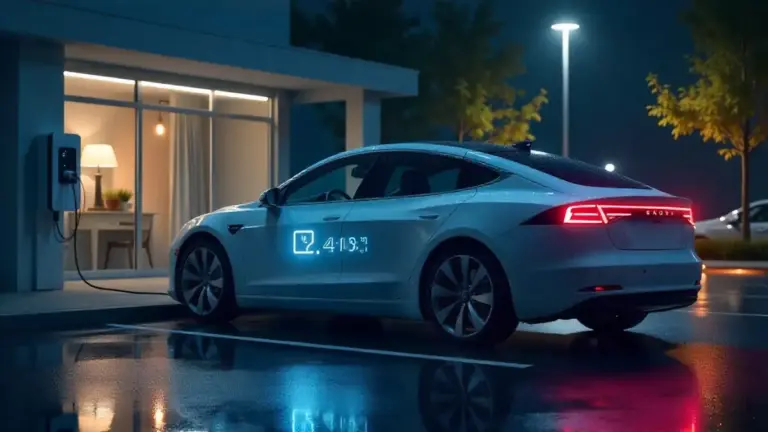
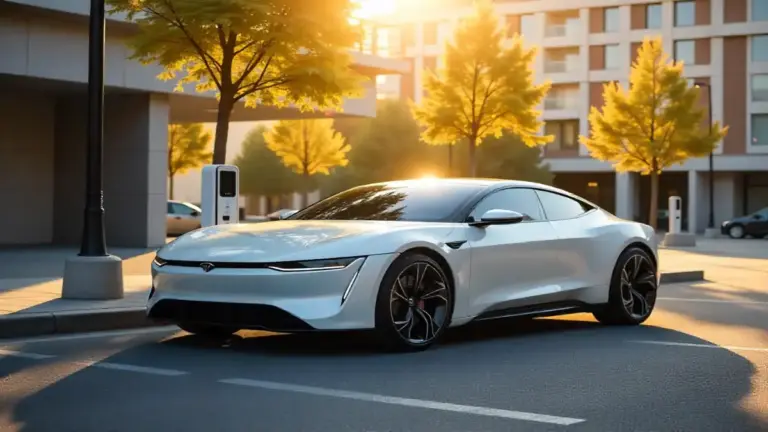
Finding the charger: Unlike gas pumps, EV chargers can be tucked into corners of parking lots. Look for signs, pavement markings, or follow your app’s directions precisely. Some stations have dedicated EV parking spots; others require you to park in a regular space near a pedestal charger.
Checking availability: Don’t just trust the app—make a visual check. Sometimes chargers show as available but someone’s actually using them (reporting lag) or the spot is ICE’d by a gas car.
Positioning your car: Most EVs have charge ports on the driver’s side rear or front fender. Pull in so the cable can comfortably reach. Some fast chargers have short cables, so you might need to back in or pull through.
The Charging Process
Step 1: Initiate the session Most networks require you to start the session through their app, though some accept contactless payment cards. Tap the charger location in your app, select your charger number, and tap “Start Charging.”
Step 2: Plug in Remove the connector from the holster, press any buttons if required to unlock it, and insert it into your car’s charge port. You’ll hear a click when it’s seated properly. Some cars lock the connector automatically; others require you to lock your car.
Step 3: Confirm charging has started Check your car’s display or the charger screen. You should see active power flow (measured in kilowatts). If nothing happens after 30 seconds, unplug, check the app, and try again.
Step 4: Monitor your session Most apps show real-time charging speed and estimated completion time. DC fast charging speeds fluctuate based on your battery’s temperature and current charge level—this is completely normal.
Step 5: End the session When you’re ready to leave, stop the session in the app first, then unplug. Some chargers will lock the cable until you explicitly end the session. Always return the cable to its holster properly.
Pricing and Payment
Cost structures vary wildly:
- Per kilowatt-hour (kWh): Most common. You pay for the electricity you consume, typically $0.30-$0.60 per kWh for DC fast charging, $0.20-$0.35 for Level 2.
- Per minute: Some states don’t allow per-kWh billing, so networks charge by time instead. Rates usually vary by charging speed—higher rates when charging above 60 kW.
- Subscription plans: Networks like Electrify America offer monthly memberships ($4-7/month) that reduce per-session costs by 15-25%.
- Free charging: Some shopping centers, hotels, and dealerships offer free Level 2 charging as a customer amenity.
Typical costs: A complete charge session on a DC fast charger (20-80%) typically costs $15-30, depending on your battery size. That’s roughly equivalent to buying 5-7 gallons of gas, but you’re getting 200-250 miles of range.
Idle fees: Many networks charge penalties if you leave your car connected after charging completes—typically $0.40-$1.00 per minute. Set a phone alarm or enable app notifications to avoid these fees.
Common Challenges and How to Overcome Them
Let’s be honest: public charging isn’t always seamless. Here are the issues you might face and how to handle them.
The Charger Doesn’t Work
Troubleshooting steps:
- Check if the issue is reported in the app
- Try unplugging and replugging firmly
- Restart your car’s charging system (some EVs have this option)
- Try a different charger at the same station if available
- Call the network’s support number (usually on a sticker on the charger)
Your backup plan: Always have a secondary charging location identified within 5-10 miles. ABRP and PlugShare make this easy by showing you nearby alternatives.
The Station Is ICE’d
This is when gas-powered vehicles park in EV charging spots. It’s frustrating but increasingly rare as awareness grows.
What to do:
- Check if there’s a number to call for parking enforcement
- Leave a polite note on the windshield (I keep a pad in my car)
- Report it in PlugShare so others are aware
- Move on to your backup location rather than waiting
Charging Slower Than Expected
Possible reasons:
- Your battery is cold (preconditioning helps)
- You’re charging above 80% (curve naturally slows down)
- Multiple cars are sharing the same circuit (power is split)
- The charger’s advertised speed is theoretical maximum, not sustained
- Your car’s maximum charging rate is lower than the charger’s output
What to do: If you’re getting less than half the expected speed and none of the above apply, try a different charger or contact support.
Payment Issues
If your card is declined:
- Check if the network requires a credit card (some don’t accept debit)
- Verify your payment method in the app is current
- Try adding a different card
- Some networks require preauthorization holds ($10-25)—ensure you have sufficient funds
The Future of EV Charging Networks
The charging landscape is evolving rapidly, and 2026 is shaping up to be a transformative year.
NACS Becomes the Standard
The biggest shift is the industry’s move to Tesla’s NACS connector. Ford, GM, Rivian, Polestar, Volvo, Mercedes, and others have announced they’re adopting NACS for their 2026 model year vehicles. This means:
- One connector type will eventually dominate North America (goodbye, adapter collection)
- Access to Tesla’s Supercharger network for non-Tesla vehicles expands dramatically
- Simplified user experience as you’ll no longer need to filter by connector type
Many automakers are providing free adapters to existing owners, allowing CCS vehicles to use NACS chargers.
Bidirectional Charging (V2G and V2H)
More EVs are gaining the ability to not just receive power but send it back. This enables:
- Vehicle-to-Grid (V2G): Your EV becomes a mobile battery that can stabilize the grid during peak demand
- Vehicle-to-Home (V2H): Use your EV to power your home during outages
- Vehicle-to-Load (V2L): Run power tools, camping equipment, or even charge another EV
While public infrastructure isn’t quite ready for this yet, expect to see bidirectional-capable charging stations emerge by 2026-2027.
Faster Charging Speeds
The current generation of EVs tops out at 250-350 kW charging speeds, but next-generation battery technology promises:
- 500 kW charging stations (already being piloted in Europe)
- 10-minute charging from 10-80% for compatible vehicles
- Megawatt charging for commercial trucks and buses
Improved Reliability
Network operators are investing heavily in maintenance and monitoring. Real-time diagnostics can now predict charger failures before they happen, and many networks guarantee 99%+ uptime at flagship locations.
Tips for Maximizing Your Charging Experience
Let me share some hard-won wisdom from years of EV driving:
Join multiple networks: Don’t put all your eggs in one basket. I have accounts with ChargePoint, Electrify America, EVgo, and Blink. It takes 10 minutes to set them all up, and then you’ll never be caught without access to a nearby charger.
Take advantage of free charging: Many Volvo, Volkswagen, and Electrify America partnership vehicles include 2-3 years of free DC fast charging. Hotels frequently offer free Level 2 charging to guests. Use these perks when available.
Charge during off-peak hours when possible: Some utilities and charging networks offer time-of-use pricing. Charging late at night or early morning can save you 30-40% compared to peak afternoon rates.
Combine charging with other activities: The genius of EV road tripping is that you’re forced to take breaks at logical intervals. I plan my charges around meals, coffee stops, or brief walks. Those 25-minute charging stops become welcome stretches rather than annoying delays.
Track your charging costs: Apps like EVStatsTrack or your automaker’s app often include cost tracking. You’ll be amazed how much cheaper charging is versus gas—usually 50-70% less expensive per mile.
Stay informed about local incentives: Some cities offer free parking at municipal chargers. Some employers subsidize charging costs. Some utilities offer rebates for installing home chargers. These incentives can save you hundreds annually.
Keep your charge port clean: Dust, dirt, and debris in your charge port can interfere with connections. A quick wipe with a dry cloth every few weeks prevents issues.
Finding Charging Networks Near You
If you’re wondering what’s available in your area, here’s how to find out:
Use PlugShare’s heat map: Zoom out to see charging density in your region. Urban areas typically have dozens of options; rural areas may have scattered coverage along major routes.
Check your automaker’s map: Many EVs come with branded charging partners offering discounted rates. Ford’s BlueOval network, Hyundai’s Electrify America partnership, and Polestar’s Plugsurfing integration all provide savings.
Visit your state’s DOT website: Many states maintain their own EV charging maps highlighting stations funded by infrastructure programs. These are especially useful for finding recently installed stations.
Ask local EV owners: Join regional EV Facebook groups or forums. Local owners know which chargers are reliable, which to avoid, and where hidden gems are located.
Key Takeaways for Confident Charging
Let me wrap up with the essential points you need to remember:
For daily driving: Home charging covers 80-90% of your needs. Public Level 2 chargers serve as convenient top-offs during errands or at work.
For road trips: DC fast chargers every 50-100 miles along major highways make long-distance travel practical. Plan your route, build in buffer stops, and charge to 80% rather than 100% at each stop.
For finding chargers: Use PlugShare for comprehensive coverage and community reviews. Use network-specific apps (ChargePoint, Electrify America) for the most accurate real-time availability. Use ABRP for sophisticated trip planning.
For best results: Join multiple charging networks, take advantage of free charging opportunities, and combine charging stops with meals or activities. Monitor your charging sessions to avoid idle fees.
For the future: The transition to NACS connectors, faster charging speeds, and improved reliability means the charging experience will only get better from here.
Moving Forward with Confidence
The public EV charging network has matured dramatically over the past few years. What once felt like an uncertain adventure now feels routine—even boring in the best way possible. With the right apps, a bit of planning, and the knowledge you’ve gained here, range anxiety becomes a thing of the past.
Whether you’re considering an EV purchase or you’re already behind the wheel of your first electric vehicle, understanding public charging networks unlocks the full potential of EV ownership. You’re no longer limited to your home charger’s range; you have access to hundreds of thousands of public charging points across the country.
Start by downloading PlugShare and A Better Routeplanner today. Explore the charging options in your area. Take a short road trip to get comfortable with the process. Before you know it, you’ll be planning cross-country adventures with confidence, knowing exactly where and when to charge along the way.
The electric revolution is here, and now you have the map to navigate it.